
Email and SMTP
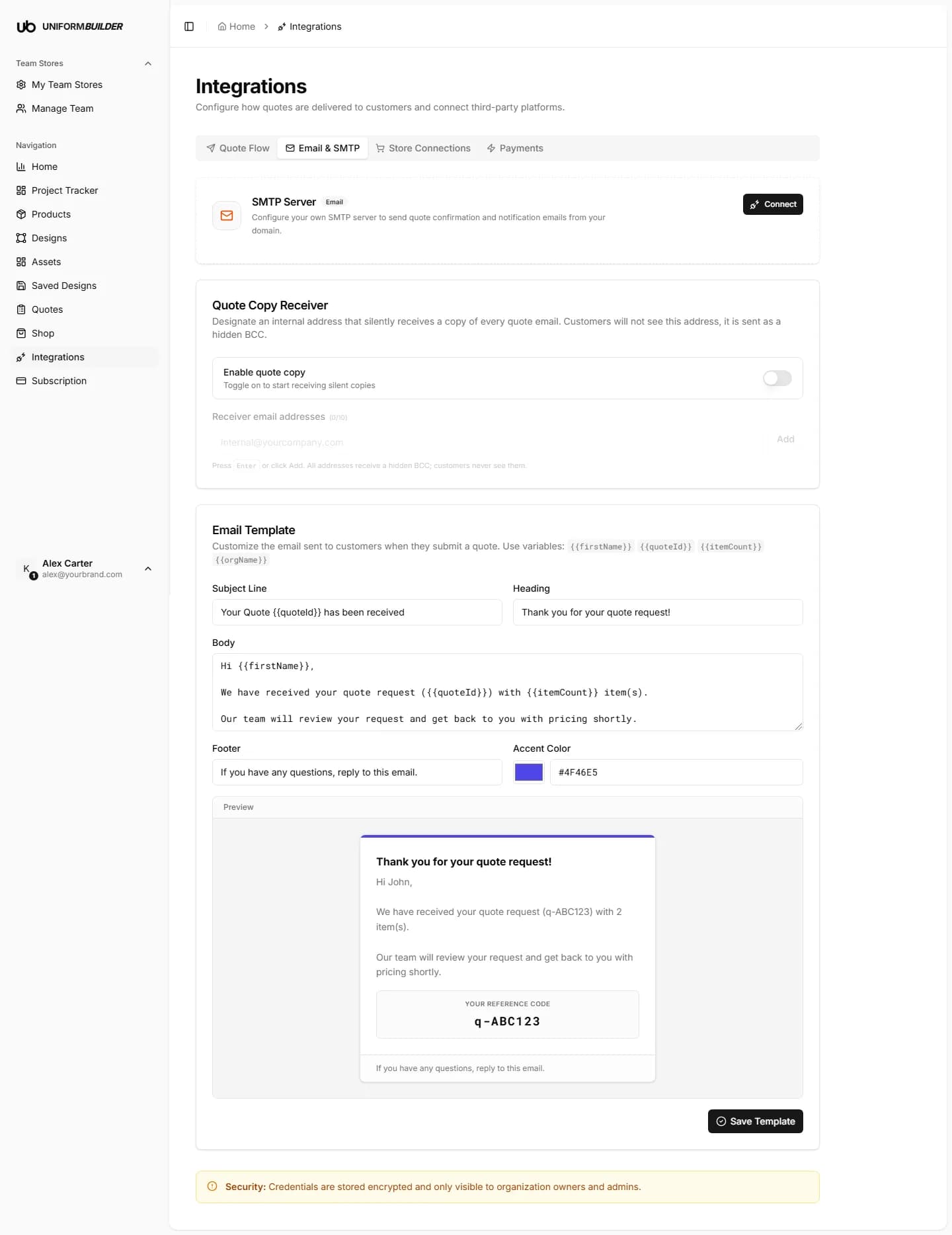
Open /dashboard/integrationsConnecting your own mail server means quote confirmations come from your domain instead of a generic address. That is better for deliverability, and customers trust an email from a name they recognise.
The six fields
Every one of these comes from your email provider. If you do not know them, search your provider help pages for "SMTP settings".
| Field | What it does |
|---|---|
| SMTP hostrequired | The server address, for example smtp.gmail.com or smtp.yourprovider.com. |
| Portrequired | Usually 587 for TLS, 465 for SSL, or 25 unencrypted. Use 587 unless your provider says otherwise. |
| Usernamerequired | Usually your full email address, for example [email protected]. |
| Passwordrequired | For Gmail and most modern providers this is an app password, not your normal login password. See below. |
| From emailrequired | The address the customer sees the mail come from, for example [email protected]. It has to be an address the server is allowed to send as. |
| From namerequired | The display name in the inbox, for example your club or company name. |
Getting an app password (Gmail)
Gmail will not accept your account password from an outside program. You need a sixteen character app password instead.
- 1
Turn on 2-Step Verification on the Google account first.
Google Account → Security → 2-Step Verification. App passwords do not exist until this is on.
- 2
Go to Google Account → Security → App passwords.
- 3
Create one, name it something you will recognise, for example "UniformBuilder".
- 4
Copy the sixteen character password Google shows you.
It is shown once. Paste it straight into the Password field here.
- 5
Use
smtp.gmail.com, port587, and your full Gmail address as the username.
Other providers
Microsoft 365, Zoho, Fastmail and most business hosts all work the same way: find the SMTP settings page, create an app password if the provider requires one, and copy the host and port exactly as documented.
A dedicated sending service is better at volume
If you send a lot of quotes, a transactional email service will land in more inboxes than a personal mailbox will. They all provide SMTP host, port, username and password in the same shape, so the fields here do not change.
Test it before you rely on it
- 1
Save your SMTP settings.
- 2
Go to your public storefront and submit a quote to your own email address.
Use Landing Page in the account menu to open the storefront.
- 3
Check both the inbox and the spam folder.
- 4
Check the quote also arrived in Quotes.
The quote being recorded and the email being sent are two separate things. One can work while the other does not.
A misconfigured server fails silently for the customer
If the port is wrong or the from address is not authorised, the customer simply never receives anything and usually assumes their submission failed. Always send yourself one real test before going live.
The email template
The same tab holds the template for the confirmation email. You can edit the subject, the heading, the body, the footer, and the accent colour used in the design.
Placeholders you can use
| Field | What it does |
|---|---|
| {{quoteId}} | The quote reference the customer should quote back to you. |
| {{firstName}} | The customer first name. |
| {{itemCount}} | How many items were on the request. |
Tip
Say what happens next and when. "We will come back to you with pricing within two working days" prevents most follow-up emails.
Copying a colleague
The quote copy receiver on this tab sends a copy of every quote confirmation to an address you choose, so somebody on your side always has an email trail even when the quote lives in the dashboard.
Emails go to spam.
Send from a domain you control and make sure its SPF and DKIM records are set up with your email provider. Sending as an address on a domain that has not authorised your server is the usual cause.
Authentication failed.
Nine times out of ten the password field holds an account password where an app password is required, or the username is missing the domain part.
Who can see the SMTP password?
Only organization owners and admins. It is stored encrypted and is never shown to members or producers.