
Subscription and AI credits
Open /dashboard/subscriptionTwo separate things live on this page. Your plan is the recurring subscription that decides how many stores and products you get. Your AI credits are a pay-per-use balance spent only when someone generates artwork with AI.
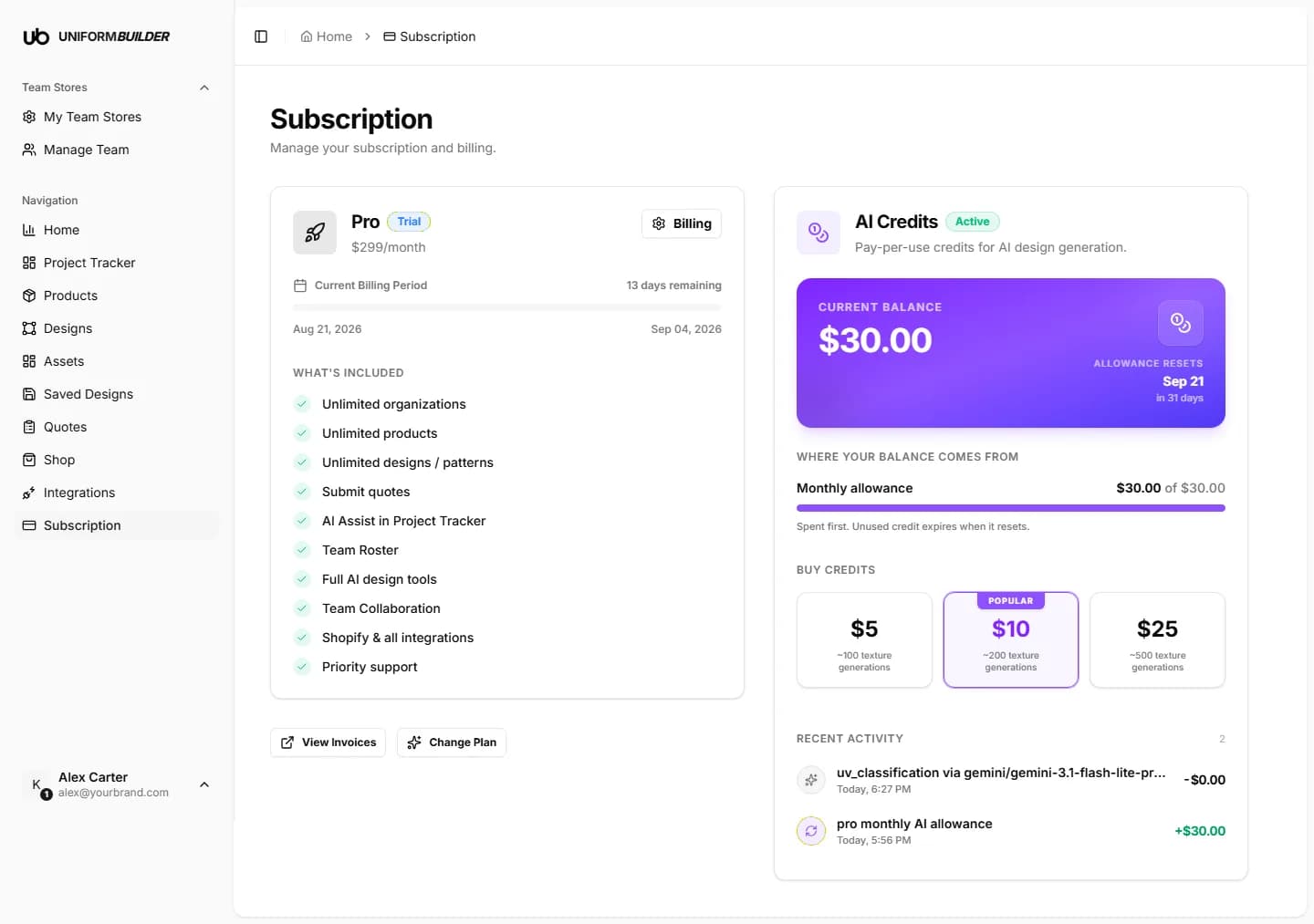
Your plan
The plan card names your tier, its price, and whether you are in a trial. Underneath, current billing period shows the dates of the period you are in and how many days remain, followed by the full list of what the tier includes.
- Billing opens the billing portal, where you change the card on file and your billing address.
- View invoices lists every invoice with a download link, which is what your accountant will ask for.
- Change plan moves you up or down a tier. Annual billing is discounted against paying monthly.
What the tier decides
Plan limits show up elsewhere in the dashboard as you hit them: the number of team stores on My Team Stores, and access to features like AI assist in the Project tracker.
Careful
Downgrading can put you over the limit of the lower tier, for example three stores on a plan that allows one. Reduce first, then downgrade, so you choose what to keep.
AI credits
AI credits are spent when a design is generated with AI, when a logo is generated, and when a PNG is vectorized. Browsing, designing by hand, quoting and everything else costs nothing.
| Field | What it does |
|---|---|
| Current balance | What you have available right now, with the date your allowance next resets. |
| Monthly allowance | The credit included with your plan. It is spent first, and whatever is left expires when it resets: it does not roll over. |
| Purchased credit | Top-ups you bought. These are spent after the monthly allowance and do not expire at the reset. |
| Recent activity | A running ledger of every credit added and spent, so an unexpected balance can always be traced. |
The Buy credits row offers fixed top-ups, each labelled with roughly how many texture generations it buys.
Controlling AI spend
Credits are shared across your account, so a busy public storefront can spend them quickly. If you want to cap that, switch AI generation off for a store, or off for individual products, in Team stores and Products.
Do unused credits carry over?
The monthly allowance does not: it resets on the date shown on the balance card. Credit you purchased separately stays until it is spent.
Who can see and change billing?
The store owner. Admins manage the store itself, not the subscription behind it. See Team and permissions.
What happens when I run out of credits?
The AI generation buttons stop working and tell the customer to try again later. Nothing else in the designer is affected: manual designing and quoting carry on as normal.