
Team and permissions
Open /dashboard/teamAccess is granted per team store. Someone you invite to one store does not automatically see another. This page is where you invite people and set what they are allowed to do.
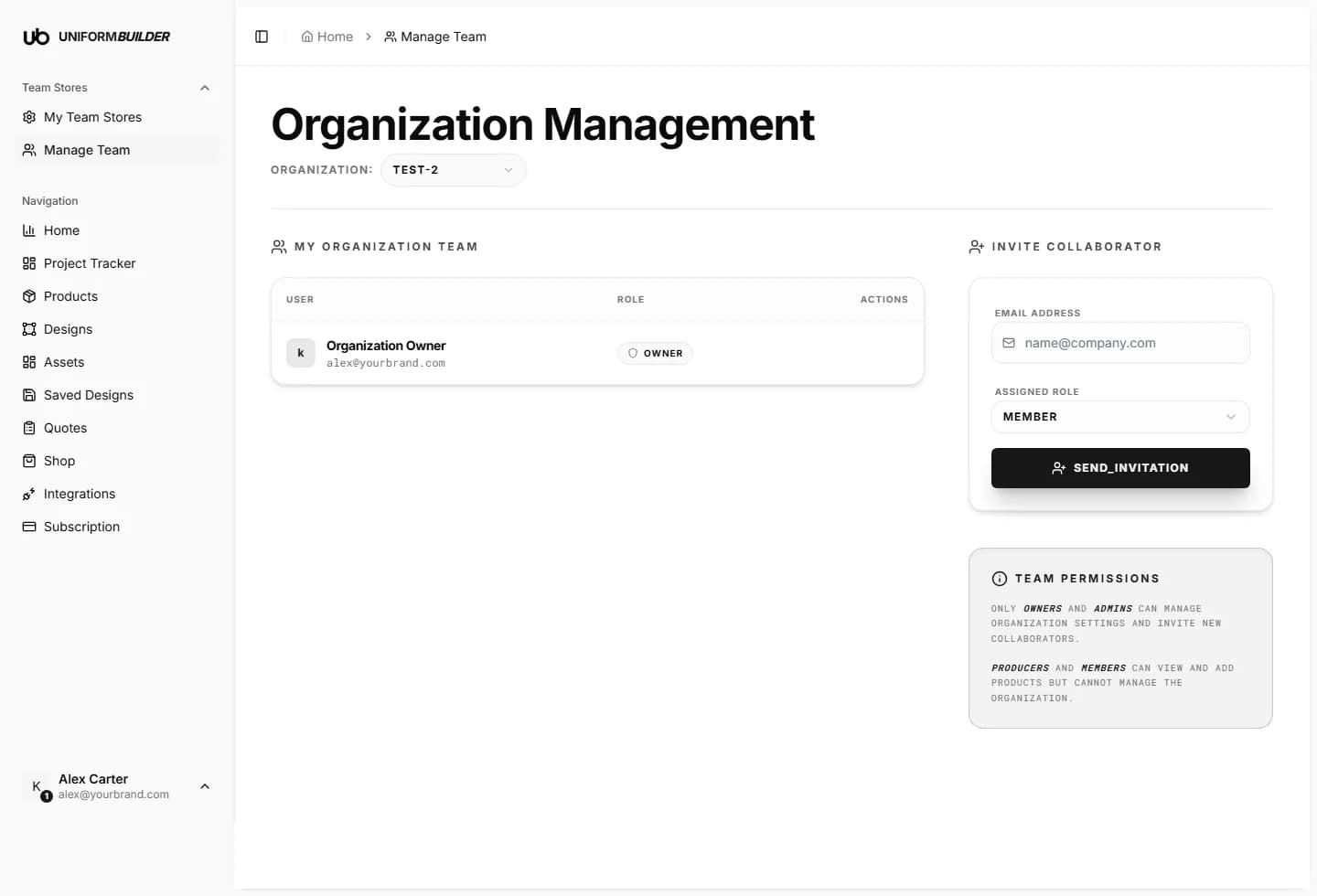
Inviting someone
- 1
Open Manage Team and check the store named at the top of the page.
The invitation applies to that store. Switch store first if it is the wrong one.
- 2
Enter their email address.
- 3
Pick the assigned role: Member, Producer or Admin.
See the table below before you choose.
- 4
Press Send invitation.
They receive an email. Until they accept, the invitation sits in the pending list and can be revoked.
What each role can do
| Field | What it does |
|---|---|
| Owner | The person who created the store. Full control, including billing and deleting the store. There is one owner. |
| Admin | Can manage store settings and invite other collaborators. Use this for the people who run the store day to day. |
| Producer | Can view and add products, and work through quotes and production, but cannot change store settings or invite people. Use this for your production side. |
| Member | Can view and add products but cannot manage the organization or invite people. The safe default for a new colleague. |
Note
Only owners and admins can change organization settings and invite new collaborators. Producers and members can view and add products but cannot manage the organization.
Tip
Invite people as Member first. Raising a role later takes one click; explaining an accidental store deletion does not.
Changing or removing access
- The Actions column on the members table is where you change a role or remove someone.
- Removing a member revokes their access to that store immediately. Work they already saved stays in the store.
- A pending invitation that was sent to the wrong address can be revoked and re-sent.
Someone says they never got the invitation.
Check the spelling of the address in the pending list, and ask them to look in spam. Invitation emails also show up in their Notifications once they sign in with that address.
Can one person belong to several of my stores?
Yes. Invite the same address from each store, with whatever role suits that store.
Does each member need their own subscription?
No. The plan belongs to the store owner and covers the people invited to their stores.