
Connecting Shopify
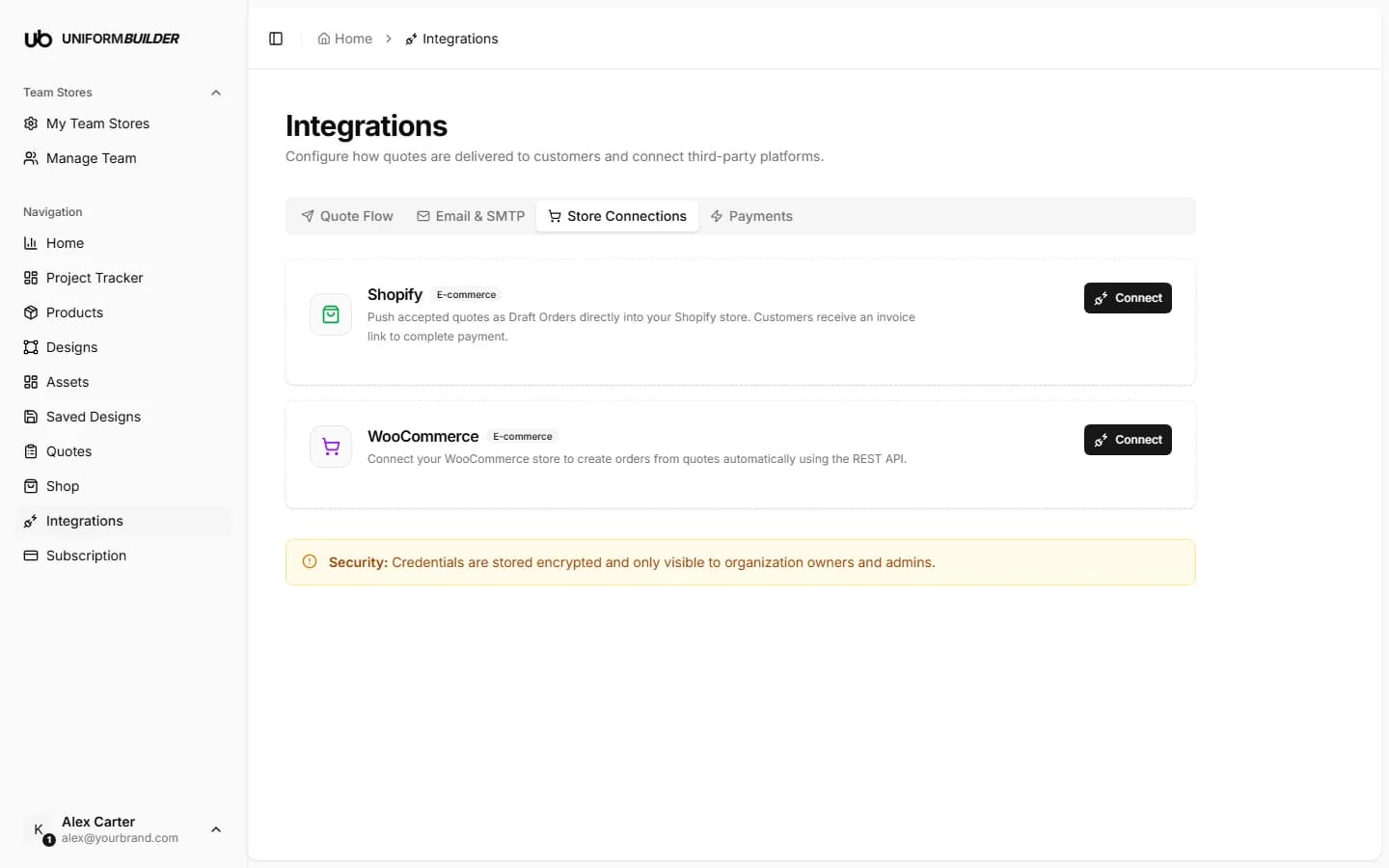
Open /dashboard/integrationsWith Shopify connected, a submitted quote becomes a draft order in your store and the customer receives an invoice link to pay. Your existing products, inventory, taxes, shipping and checkout all keep working exactly as they do today.
What you need before you start
A Shopify store you are the owner or an admin of, and about ten minutes. Everything below happens in the Shopify Dev Dashboard, which is free and separate from your store admin.
Why you create an app rather than paste a password
Shopify does not hand out account passwords to other software. Instead you create a small private app inside your own Shopify account, tell it exactly what it is allowed to do (create draft orders, nothing else), and copy two values from it. If you ever want to cut access off, you delete the app.
Step 1: start the guided setup
- 1
On the Store Connections tab, find the Shopify card and start its setup.
A four step dialog opens and walks you through the same steps as below, with the buttons you need at each stage.
- 2
Enter your shop domain.
The
mystore.myshopify.comform, withouthttps://. This is your permanent Shopify domain, not a custom domain you may have pointed at the store.
Step 2: create the app in Shopify
- 1
Open the Shopify Dev Dashboard using the button in the dialog.
- 2
Click Apps → Create app → Start from Dev Dashboard.
- 3
Name it anything you will recognise, for example "Uniform Builder".
- 4
Open the Versions tab and set the App URL to
https://shopify.dev/apps/default-app-home.This value is a placeholder on purpose. Only the API is used here, never an embedded app inside the Shopify admin, so the URL is never visited.
- 5
Select the access scopes write_draft_orders, read_draft_orders and read_orders.
These three are all that is needed. read_orders is what lets Shopify notify us once a customer pays: without it the payment never reaches your dashboard and the quote stays hidden. Do not grant more than these: an app can only do what its scopes allow, and this is what keeps the connection safe.
- 6
In the same app configuration, request Protected customer data access.
Orders carry customer details, so Shopify gates order webhooks behind this separately from the read_orders scope. For a custom app on your own store it is granted right away. Skipping it makes the payment notification fail even though the scope looks correct.
- 7
Click Release, then go to Home → Install app, select your store, and click Install.
An app that has been created but never installed on the store will fail the connection test later.
Release and install are separate steps
Creating the app is not enough on its own. It has to be released, and then installed on the specific store you want the orders in. This is the step people miss.
Step 3: copy the client ID and secret
- 1
In the Dev Dashboard, click Apps and select your app.
- 2
Click Settings.
- 3
Copy the Client ID.
A long string of letters and numbers.
- 4
Click the eye icon to reveal the Client Secret, and copy it.
It starts with
shpss_. Treat it like a password.
Step 4: paste them back and test
What goes in each field
| Field | What it does |
|---|---|
| Shop domainrequired | For example mystore.myshopify.com, without https://. |
| Client IDrequired | From Dev Dashboard → your app → Settings. |
| Client secretrequired | From the same page, revealed with the eye icon. Starts with shpss_. Stored encrypted and never shown to members or producers. |
- 1
Paste both values into the dialog and save.
- 2
Run the connection test.
It confirms the credentials work and checks that the draft order scopes were granted. If a scope is missing it tells you which one.
- 3
Open the Quote Flow tab and set delivery to Push to store.
Until you do this, quotes keep arriving as email and dashboard requests. See Integrations overview.
- 4
Submit one test quote from your storefront and check the draft order appears in Shopify.
Linking products to your Shopify catalog
By default a pushed order contains a custom line item. If you would rather it reference the real catalog product, with its image and inventory, put the Shopify product id in the Store integration field on the product. See Products.
Note
That field only becomes available once quote flow is set to push to store.
The connection test fails.
Check the shop domain is the .myshopify.com one and has no https://, check the app was installed on that store, and check both scopes were selected before you released the app.
Can I connect Shopify and Stripe at the same time?
No. Shopify, WooCommerce and Stripe are mutually exclusive, because an order can only be created in one place. With Shopify connected, payment happens through your Shopify checkout.
How do I disconnect?
Remove the credentials here, and delete the app in the Shopify Dev Dashboard so the access is revoked at their end too.
Does this change my Shopify checkout or theme?
No. Only draft orders are created. Your theme, checkout, taxes and shipping rules are untouched.